Kreed Software Management.
How I helped design a sleek, efficient project management tool for fast-moving teams who need real-time updates without the chaos.
About the Project
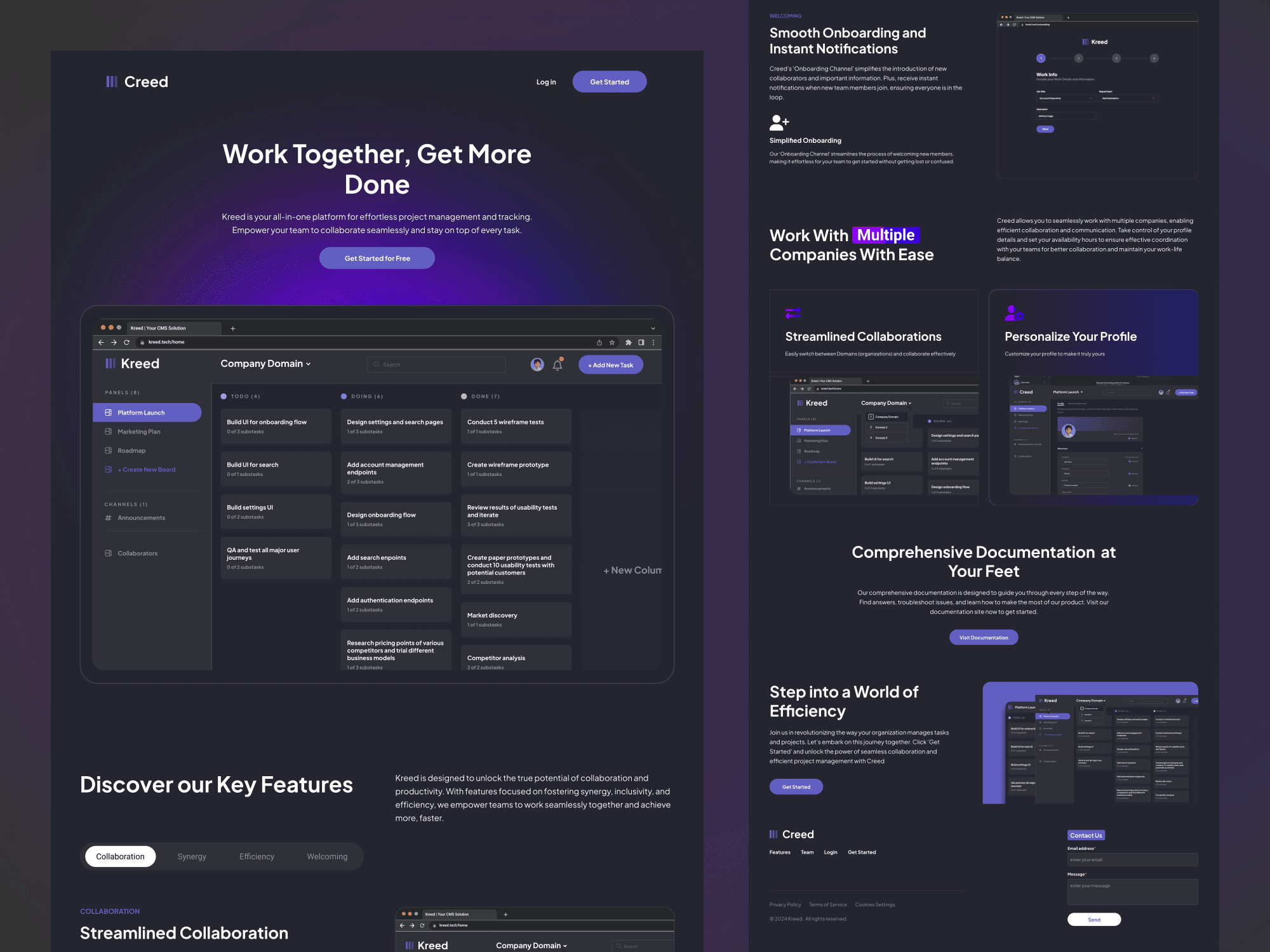
Kreed is a modern project and team management platform designed for real-time collaboration. I led the design of the full product from the landing page to the dashboard and all key user flows. The design balances aesthetics with performance, solving key pain points teams face in traditional tools like Trello and ClickUp: slow updates, messy navigation, and lack of clarity across devices.
The Problem
Startups and fast-moving teams use tools like Trello, Asana, and ClickUp but many of them struggle with:
Delayed or missing real-time updates
Clunky navigation that makes task management harder, not easier
Lack of clarity around who’s doing what, and when
Inability to seemlesly switch between different companies they work with
Kreed was built to solve this. The product needed to feel fast, look clean, and work seamlessly across teams and companies all while delivering a sleek, modern UI.
My Role
As the product designer, I handled:
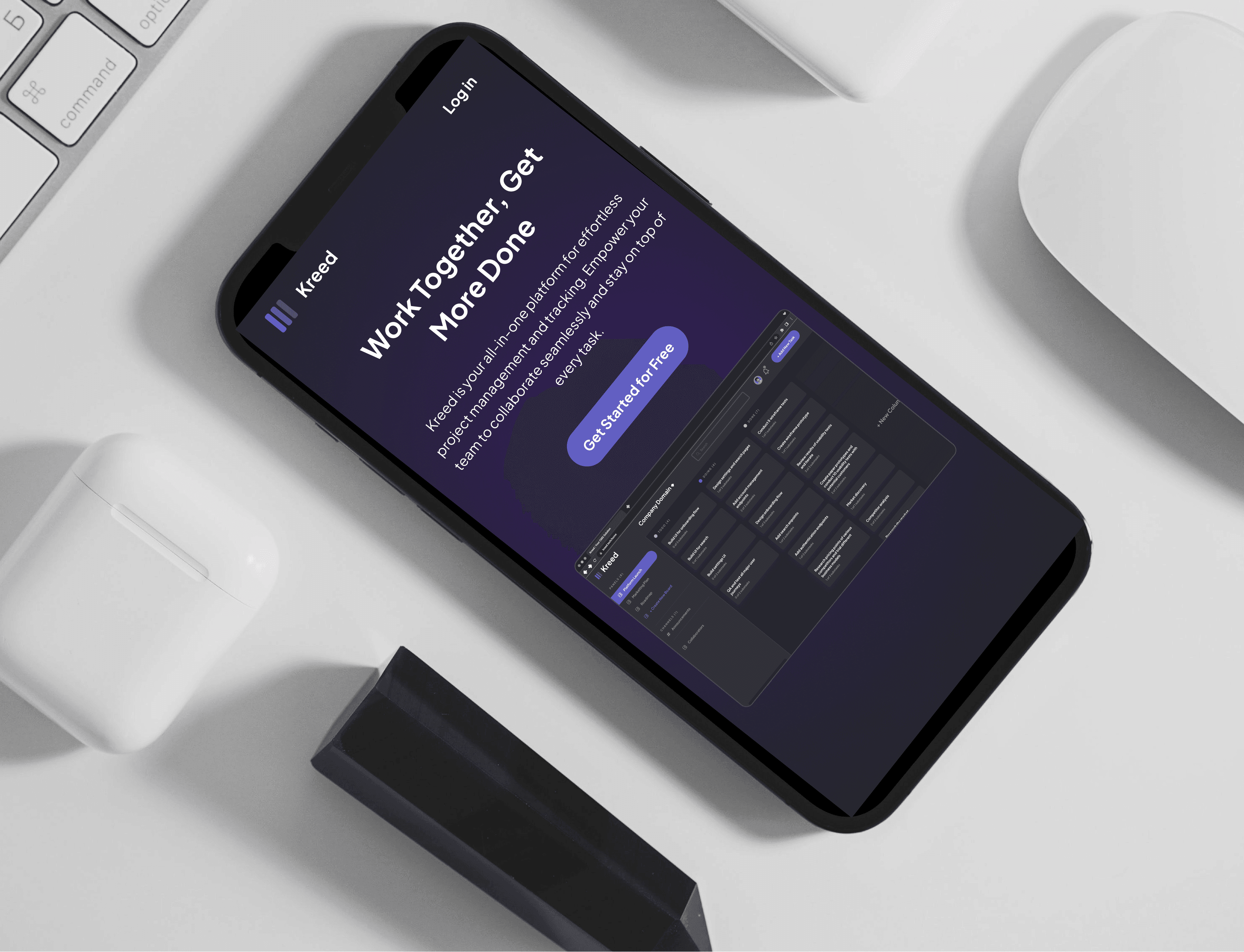
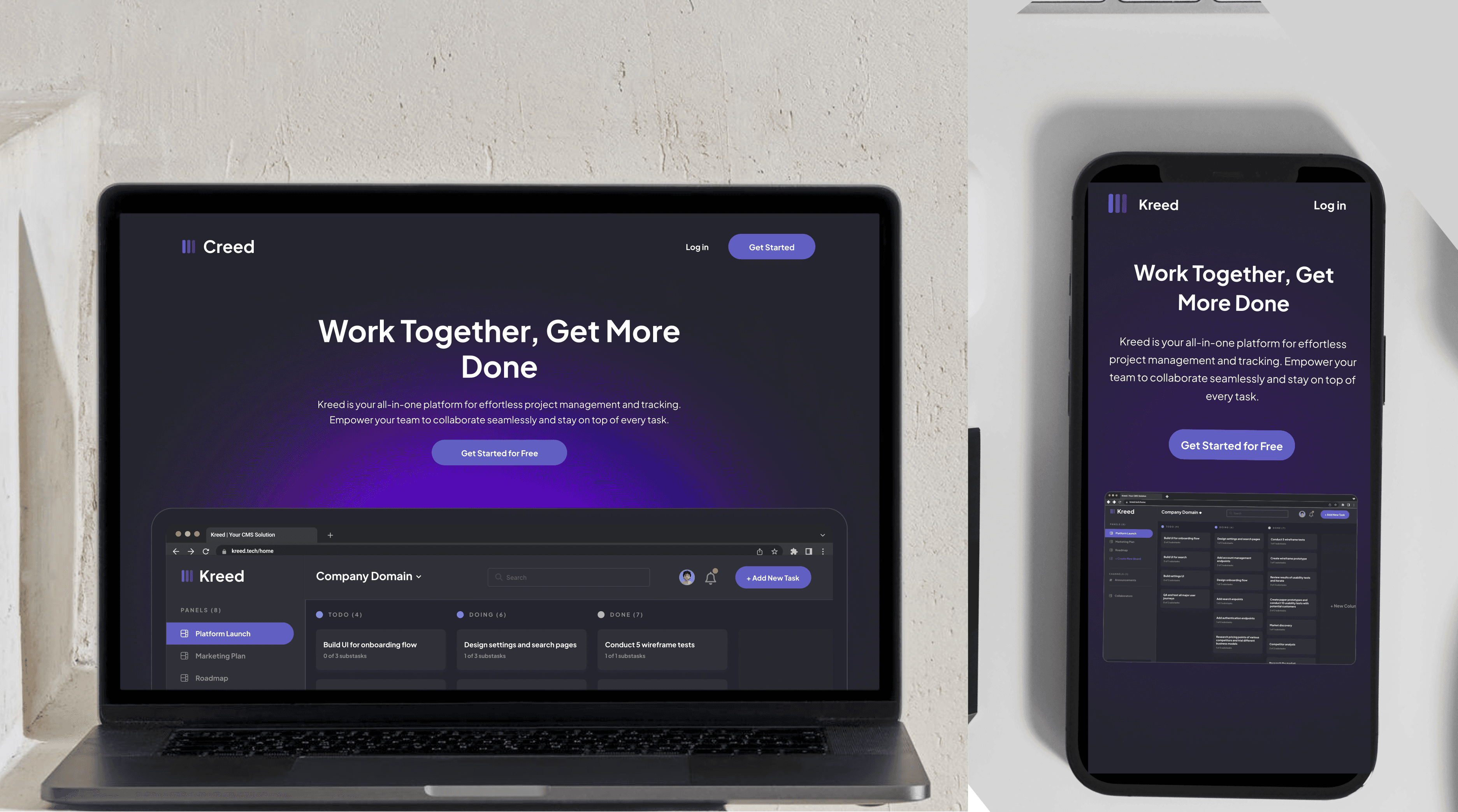
Landing Page Design – To clearly communicate Kreed’s value and differentiate it from competitors.
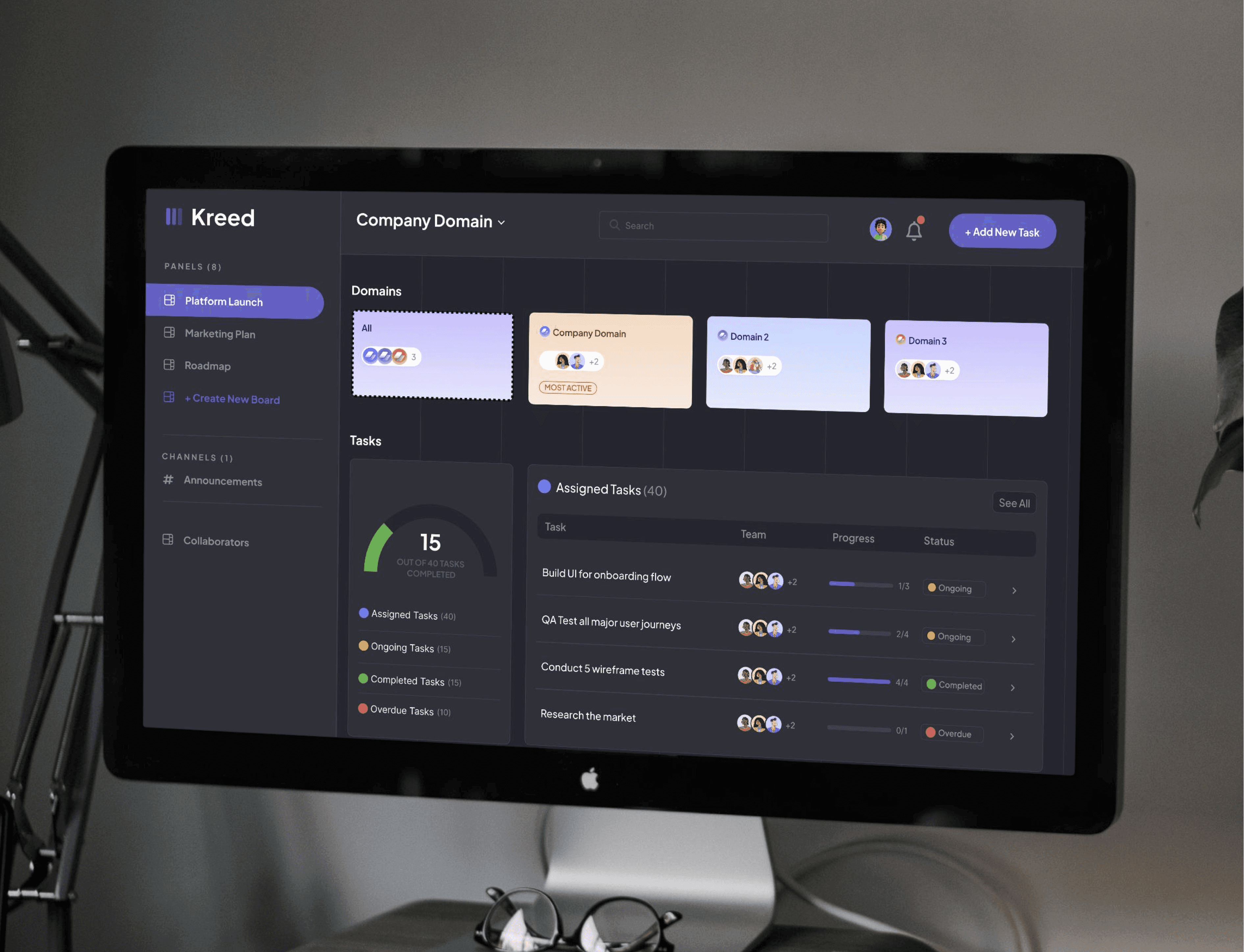
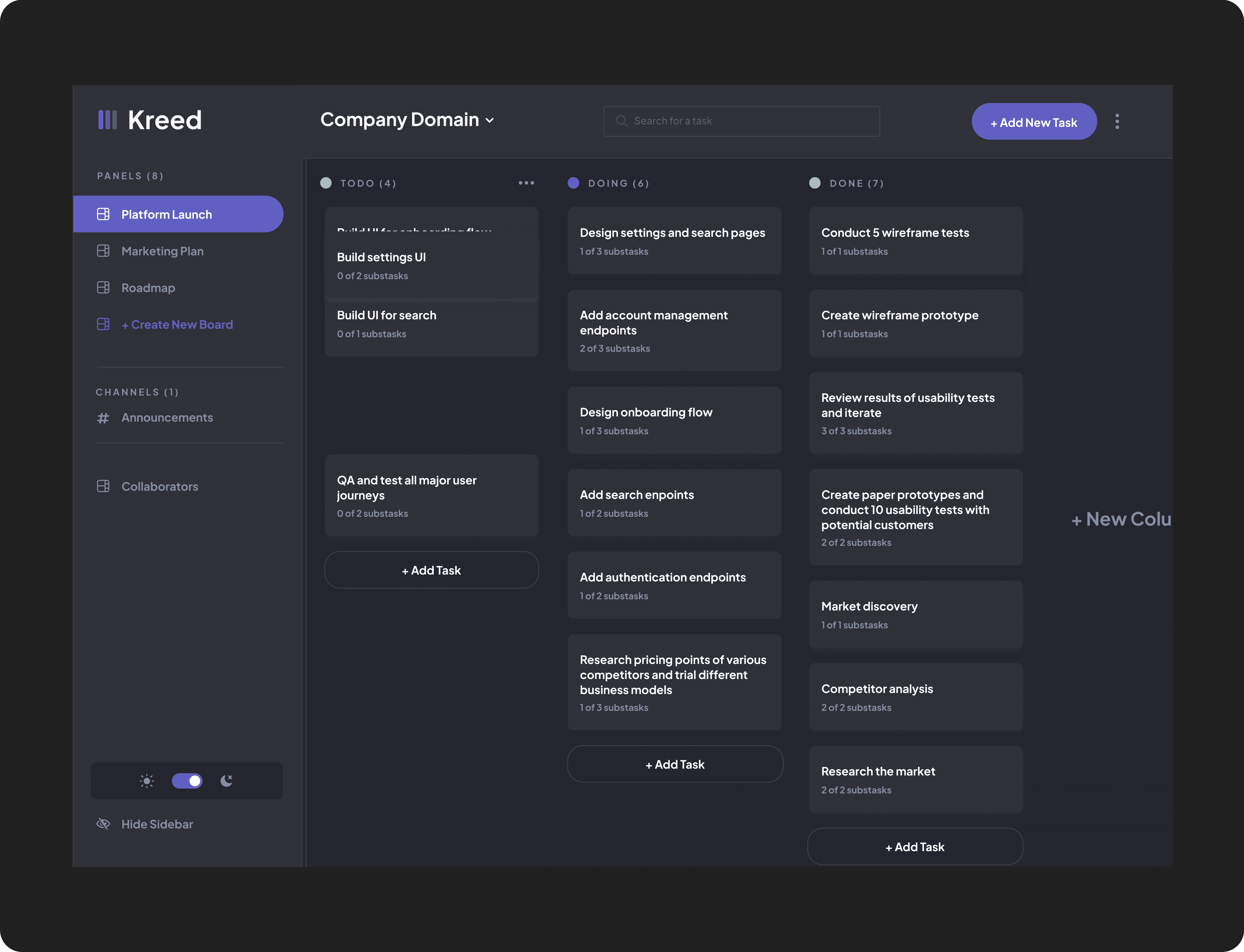
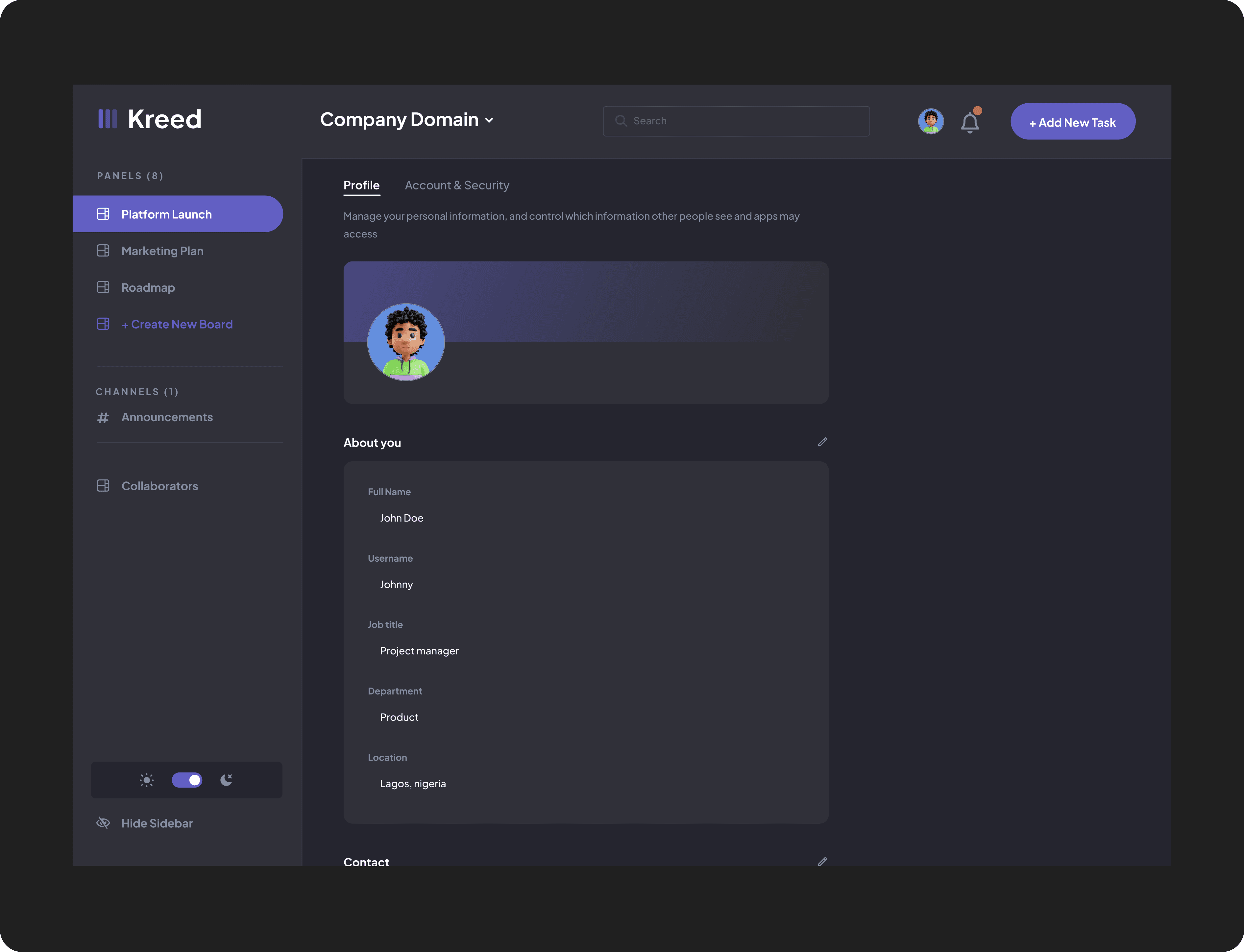
Dashboard Design – The core interface for teams to manage tasks, announcements, and updates.
User Flows & Key Screens – Including task creation, assignment, progress tracking, and announcement modules.
Mobile & Desktop Responsiveness – Ensuring consistency across devices.
Visual Identity – Created the sleek dark-mode UI with a professional, minimalist tone.
Design Handoff & Dev Support – Worked closely with developers using Zustand for state and Firebase for auth.
Discovery & Insight
I spoke with startup teams, developers, and project managers who had used various tools. Here’s what we uncovered:
Most tools didn’t update in real-time, causing confusion when multiple users were involved.
Task filtering was limited — users couldn’t quickly find what mattered to them.
Complex UIs slowed teams down instead of speeding them up.
Communication felt fragmented, with announcements often lost in chat tools or email threads.
Design Goals
I used these insights to define the project’s goals:
Build a dashboard-first experience that puts key info front and center.
Deliver a visually minimal UI that still feels expressive and high-end.
Ensure real-time updates for all collaboration activity, no refresh needed.
Provide role-based access, smart onboarding, and seamless task filtering.
The Solution
1. Task Management That Just Works
Clean task cards, filterable by project, assignee, due date, or status. Users can assign tasks, update progress, and track outcomes, all in one flow.
2. Real-Time Collaboration
Socket.io integration ensures real-time updates. No refresh, no confusion. Every change is reflected immediately across all user sessions.
3. Announcements Hub
Admins can broadcast announcements to all members. These appear front and center, no more lost messages in chats.
4. Dark Mode UI
We chose a sleek dark interface to stand out from competitors and appeal to the tech-forward audience. Paired with structured layouts, it enhances focus and reduces visual fatigue.
5. Automated Onboarding & Auth
Integrated Firebase for secure login and email-based onboarding. Users can get started with minimal friction.
Key Features At a Glance
✅ Task creation, filtering, and role-based assignment
✅ Real-time task and announcement updates via sockets
✅ Announcement board for high-visibility comms
✅ Progress visualization for teams
✅ Firebase Auth & user permissions
✅ Automated onboarding with email flows
✅ Fully responsive UI for mobile + desktop
Reflection
Kreed taught me that clarity, speed, and feedback loops are everything when it comes to team/ project management tools. It’s not just about a beautiful UI, it’s about making teams feel in sync, no matter where they are.
I also got to flex deep product thinking, balancing developer constraints (Zustand, Firebase) with a seamless user experience that feels fast and intuitive.
I’m excited to continue improving Kreed and exploring how this model can scale across larger organizations.